
Pick a high-profile hack from the news, and it’s almost a certainty that the entry point was a compromised password. As users, we’ve developed terrible habits – unencrypted text files with lists of logins, re-used passwords, and post-it notes with credentials taped to our monitors abound. As such, it’s no surprise that the number of data breaches is rapidly increasing – and two-factor authentication just isn’t enough.

Oftentimes increased security comes at the expense of a decreased user experience, but in this case everyone wins! With Portnox, the device handles the authentication based on a certificate that has already been distributed and stored as trusted. That means no more dealing with complex password policies, no more text messages or push notifications for two-factor authentication – from the user’s perspective it’s just turn on the device and go. We’ve eliminated any complexity associated with certificate-based authentication. You can use our agent, or integrate with a SCEP (Simple Certificate Enrollment Protocol) to make deployment, well…simple!
Portnox can act as your certificate authority, or you can use your own – either way, make phishing scams, locked out accounts, and forgotten password tickets a distant memory instead of a daily slog with Portnox and passwordless authentication.
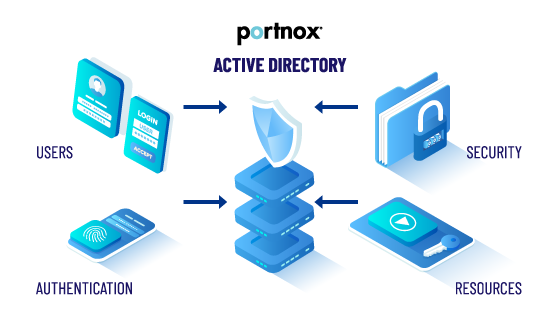
The obvious reason is increased security. Certificate-based authentication lets your IT administrators control which devices can access the network by controlling when and how to distribute certificates, which is a huge benefit to security, especially if you incorporate cloud-based application access control.
Surprisingly, though, passwordless authentication is also a much better user experience. Oftentimes increased security means increased annoyance with trying to get any work done, but the beauty of passwordless authentication is that you don’t have to remember a million different, oddly complex passwords for each resource you need – all the authentication is done by the client (your device) and the server, so you just open your laptop or unlock your phone and go.
The truth is users (and we are all users) are terrible about secure password practices. We re-use passwords, we store them in unencrypted files, we never change them unless we’re forced to, we make them easy to guess, and let’s not talk about those phishing e-mails we click on. It’s no wonder that most cyber breaches can be traced back to a compromised credential.
By contrast, digital certificates are issued by a Certificate Authority (a trusted organization that makes sure you are who you say are before issuing the certificate), encrypted using the PKI (public key infrastructure) and really, the only danger is if someone gets physical access to the device which is much more difficult than guessing your clever P@ssw0rd!
MFA, or Multifactor Authentication, is when you combine something you know (your password) with something you have (a face, a fingerprint, a smartphone, etc.) It’s better than passwords alone, but it’s still not better than passwordless.
MFA is much easier to bypass than you would think. A new technique called “MFA Fatigue” is when a hacker spams multifactor requests to a compromised user’s phone – if you’re using an app that does push notifications, it only takes one time to accidentally click allow (and let’s be honest, we’ve all clicked “OK” on an error message when we meant to click “Cancel”) and then the hacker is in. Social Engineering can also be a factor – in 2022, Uber was breached when the hacker called an employee and pretended to be from Uber’s IT team and got them to accept the MFA request.
In the same scenario, if someone called you, there’s no information you could give them about the certificate that would matter – they would still need physical access to your device to gain entry onto the network.





After completing the form, an email will be sent to you with the report download link.