Let’s be honest: onboarding users to secure networks has never been anyone’s favorite task. Between distributing certificates, configuring network settings, and guiding users through multi-step instructions, even a “simple” setup can quickly turn into a support headache. And when users get stuck, security often takes a back seat to convenience.
That’s exactly the problem Portnox set out to solve.
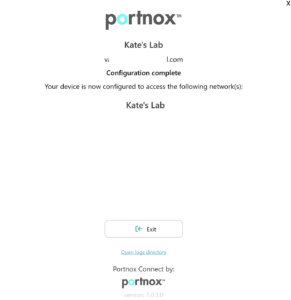
With the introduction of Portnox Connect for Windows, organizations can now deliver a streamlined onboarding experience that gets users securely connected in just a few clicks—without the usual friction.
Security Without the Setup Struggle
Traditionally, connecting a device to a secure network requires multiple manual steps: downloading configurations, installing certificates, and ensuring everything is aligned with policy. For IT teams, that means time-consuming setup and ongoing troubleshooting. For users, it often means confusion and delays.
Portnox Connect for Windows changes that dynamic completely.
Instead of walking users through a complex process, this new capability automates the heavy lifting behind the scenes. The correct network profile is applied automatically, certificates are provisioned seamlessly, and users are guided through a clean, intuitive experience.
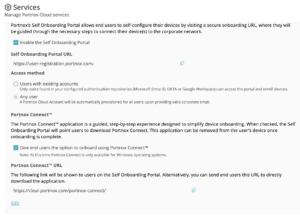
The result? Secure access without the struggle.
A Better Experience for Users and IT
One of the biggest challenges in network security is balancing protection with usability. If something is too complicated, users find workarounds. If it’s too loose, risk increases.
Portnox Connect for Windows hits that balance by simplifying the experience for end users while maintaining strong security controls.
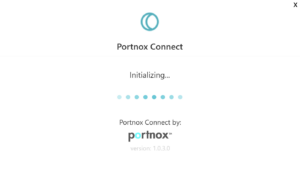
From the user’s perspective, onboarding is fast and straightforward—just a few clicks to get connected. There’s no need to understand certificate management or network configurations. For IT teams, this means fewer support tickets, faster rollouts, and greater confidence that every device is configured correctly from the start.
Built for Modern Environments
Today’s networks are more dynamic than ever. Employees are connecting from different locations, on different devices, and often outside the traditional perimeter. That makes consistent, secure onboarding essential.
Portnox Connect for Windows is designed with this reality in mind. By automating configuration and certificate provisioning, it ensures every device meets security requirements before gaining access—without adding complexity to the process.
This approach aligns perfectly with a zero trust strategy: verify every device, enforce policy consistently, and remove unnecessary friction along the way.
Faster Deployment, Stronger Security
Speed matters. Whether you’re onboarding new employees, rolling out devices, or granting temporary access, delays in connectivity can slow everything down.
By reducing onboarding to just a few clicks, Portnox Connect for Windows accelerates time-to-access while still enforcing the security measures organizations depend on. And because the process is automated, there’s less room for human error—one of the most common sources of misconfiguration and vulnerability.
Simplify Onboarding. Strengthen Your Network.
Secure network access doesn’t have to be complicated. With Portnox Connect for Windows, organizations can deliver a smooth, user-friendly onboarding experience while maintaining the highest security standards. No messy setup. No unnecessary steps. Just fast, reliable, and secure connectivity from the start.
If you’ve been looking for a way to eliminate onboarding friction without compromising security, this is it.